You can separate the business line from your personal cell, route calls to the right person and set up a basic phone tree in a week. Here's the order to do it in.
How to get a business phone number separate from my cell
That's the question, and the honest answer is that the number is the easy part. You can get a new business number in ten minutes. The hard part is deciding what should happen when it rings.
So this plan starts with decisions, then moves to setup. Run it over five working days and you'll end the week with a business line that doesn't depend on your pocket.
One thing to know before you start: callers expect to reach a person. 68% of consumers say they prefer calling a business over any other channel, including chat and email (Invoca, 2021). The goal isn't fewer calls. It's calls that land in the right place.
Day 1: Write the one-page call plan
Before you touch any app, answer these on paper:
- Hours. When does the business answer live? Be specific, including Saturdays.
- Ring order. Who picks up first, second and third? Office, then you, then a lead tech is common.
- Call types. What do people call about? New jobs, existing jobs, billing, suppliers. Usually three or four buckets cover 90% of calls.
- Emergencies. What counts as a real after-hours emergency, and who handles it?
- The fallback. When nobody answers, what happens? Voicemail plus an automatic text back is the minimum.
This page is your phone system. Everything else just carries it out.
Day 2: Decide whether to port your existing number
If your cell number is on your trucks and in thousands of contacts, keep it for the business. Port it to a business phone account in the company's name, then get a new personal number for family and friends.
If your number is mostly personal, do the reverse: get a new local business number and start printing it everywhere. Update your Google Business Profile, website, invoices and email signature the same day.
Either way, the rule after this week is simple: no customer-facing material shows a personal cell. That includes your techs' numbers.
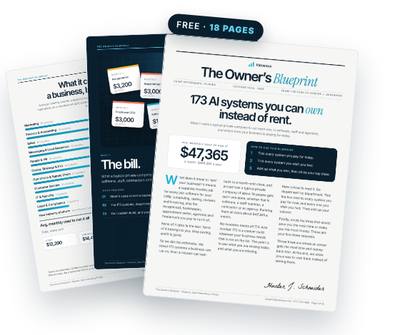
Get the free Owner’s Blueprint
173 systems most businesses rent, what each one replaces, and what it costs a typical 10-person company every month. Tick what you pay for, circle three, and see what owning them would look like.
Download the free Blueprint →Day 3: How to route calls to different people in my business
Most business phone apps let you set up ring groups and simple routing. Using your Day 1 page:
- Create a ring group for live hours, in your chosen order. Sequential ringing (one after another) beats ringing everyone at once, because it creates clear ownership.
- Set a ring timeout of about 15 to 20 seconds per person so callers aren't left hanging.
- Route after-hours calls to a recorded greeting and voicemail, with emergencies sent to the on-call person only.
Keep it short. Three out of four consumers hang up after being placed on hold, and almost 8 in 10 get rerouted at least once (Invoca, 2021). Every extra hop costs you callers.
Day 4: How do I set up a phone tree for a small business
A phone tree (sometimes called an auto-attendant or IVR) is only worth it if it saves the caller time. For most small businesses, two or three options is the limit.
A good one sounds like this: "Thanks for calling. For a new job or estimate, press 1. For a job we're already working on, press 2. For billing, press 3." Option 1 goes to whoever books work. Option 2 goes to dispatch or the office. Option 3 goes to whoever handles invoices.
Skip the menu entirely if your team is under five people and most calls are new jobs. A clear ring order beats a menu every time.
Day 5: How to let my team answer the business line from their phones
Install the phone app on each team member's smartphone and sign them into the business account. Calls they make and take show the business number, not their personal one.
Then set two ground rules. Return customer calls only from the app. And never hand out a personal cell, even when it's faster. Electrical shops see 21% technician turnover and HVAC 16% (ServiceTitan, 2026). When a tech leaves, you want the customer's next call to come to you.
Finally, test it. Call your own number during hours, after hours and with each menu option. Fix anything that takes more than two hops.
Google Voice, second-number apps and call forwarding: is it enough?
Plenty of owners start with a free or cheap tool, and that's fine. Here's where each one fits.
- Google Voice. Good for a solo operator who wants a separate number on the same phone. It gets thin once several people need to share the line with clear routing and a shared log.
- Second-number apps. Similar story. Great for separating personal and business calls, usually limited on ring groups, hours and team handoffs.
- Call forwarding to multiple phones. The quickest patch, and the most chaotic. Forwarding moves the ringing without adding any rules about who owns the call.
If you're one person, any of these can carry you for a while. Once there are two or more people answering, the Day 1 plan matters more than the app you pick.
Where it usually breaks after week one
The setup works on day five. The problems show up in month three.
Someone goes on vacation and the ring order still includes them. A new hire never gets added. The after-hours greeting still mentions last summer's promotion. Missed calls pile up in a voicemail box nobody checks. In an analysis of 16.7 million missed calls, 69% got no callback within 48 hours (Quo, 2026).
A phone system isn't a one-time project. It's a set of rules that has to be kept current, which is exactly the kind of upkeep owners don't have time for.
Where an AI system takes over for good
This is where it makes sense to own the system rather than babysit it. Your call plan, ring groups, greetings and after-hours rules get built into accounts in your company's name, documented, and connected to the rest of your tools.
An AI layer can then handle the upkeep: texting back every missed caller within a minute, summarizing voicemails into the shared log, flagging calls that went unanswered for more than an hour, and updating the ring order when someone's out. You still pay your own carrier and usage costs, and the whole thing stays yours.
Questions owners ask
How long does porting a number take?
It varies by carrier, often several business days. Keep the old service active until the port completes so you don't drop calls.
Should calls ring everyone at once?
Usually not. Ringing in order creates ownership. Ringing everyone at once is how you get two people answering or nobody answering.
How many phone tree options should I have?
Two or three at most for a small business. If most calls are new jobs, skip the menu and use a clear ring order.
Can my team keep using their own phones?
Yes. A business phone app lets them answer and call from their smartphones while customers only see the business number.
Should I hire someone to set up our phone system?
You can, and for a larger office with desk phones it may be worth it. For most small teams, the setup itself is a few hours. What takes time is deciding the rules on Day 1 and keeping them current afterward, which is where an owned, maintained system pays off.
Get the free Owner’s Blueprint
173 systems most businesses rent, what each one replaces, and what it costs a typical 10-person company every month. Tick what you pay for, circle three, and see what owning them would look like.
Download the free Blueprint →Keep reading
- Missed Calls While on a Job: Why Most of Them Never Call Back
- Nobody's Answering the Phone. Here's What Each Ring Is Costing You
- I'm Texting Customers All Night. Why It Happens and How to Stop
- My Cell Is My Business Phone and I Can't Turn It Off. Now What?
Sources
- 68% of consumers prefer calling a business over any other channel, including chat and email — Invoca (2021)
- 75% of consumers hang up after being placed on hold — Invoca (2021)
- Almost 8 in 10 callers are rerouted at least once — Invoca (2021)
- Technician turnover: electrical 21%, plumbing 18%, HVAC 16% — ServiceTitan State of the Trades (2026)
- 69% of missed business calls get no callback within 48 hours — Quo (2026)
Written by Hunter J. Schneider, founder of Valuexus. Get your free 173-point AI audit.