AI calendar apps are good at fitting tasks into open time. The harder job for an owner is deciding what deserves the time in the first place.
"Motion vs Reclaim" and the "calendar app that schedules my tasks for me"
If you're comparing Motion and Reclaim, you've already hit the wall most owners hit: a to-do list that never fits into a calendar that's always full. Both apps promise the same relief. Give them your tasks and meetings, and they'll figure out when to do what.
That promise is real, with limits. This post compares the two fairly, alongside the other options owners use: planner apps, Google Calendar's built-in features, an executive assistant, and owning the system yourself.
What they cost
Based on 2026 list prices, Motion starts around $19 per user per month, while Reclaim offers a free tier, with paid plans above it (Costbench, 2026). Pricing tiers change often, so check current pages before buying.
For one owner, either is cheap. For a 10-person team on Motion, you're looking at about $190 a month at that entry price.
For comparison, a shared virtual executive assistant runs about $600 a month by our estimate for a typical 10-person company.
What an owner actually needs from a calendar tool
Before comparing features, write down the job. For most owners it's five things:
- One view of every commitment, work and personal, so double bookings stop.
- Protected time for working on the business that survives a busy week.
- A clear answer each morning to "what matters most today?"
- Rules that keep the wrong things off the calendar: vendor calls, hour-long meetings that should be 20 minutes, bookings during deep work.
- A weekly look back at what actually happened, so next week is better.
Motion and Reclaim are both strong on items 1 and 2, with different styles. Items 3 through 5 depend on you, or on whoever sets the tool up, deciding what the rules and priorities are. No app ships with your priorities preloaded.
That's worth knowing before you buy, because it changes the question. It's less "which app is best?" and more "who's going to write down how my week should work, and keep it current?"
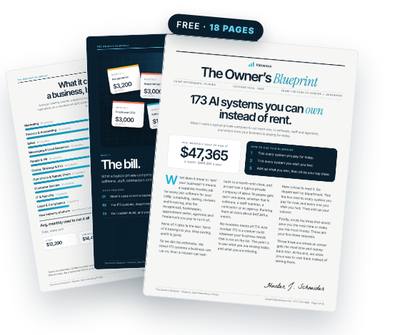
Get the free Owner’s Blueprint
173 systems most businesses rent, what each one replaces, and what it costs a typical 10-person company every month. Tick what you pay for, circle three, and see what owning them would look like.
Download the free Blueprint →Where Motion fits
Motion combines tasks, projects and calendar into one tool, and auto-schedules your task list into open time, rearranging when things change. It suits owners who want one app to replace their to-do list and planner, and who'll commit to entering everything there.
Where it can fall short: it's a new place to keep your work. If your jobs live in field service software, your clients in a CRM and your tasks on a team board, Motion becomes one more system to keep in sync. And it schedules what you give it; it doesn't decide what matters.
Where Reclaim fits
Reclaim works on top of your existing calendar, mainly Google Calendar, defending habits and focus time and fitting tasks around meetings. It's lighter-touch and easier to try, especially with a free tier.
Where it can fall short: it's strongest at protecting time you've already decided to protect. If you haven't defined your priorities and rules, it will faithfully defend a calendar that still isn't built around the right work.
"Best planner app for business owners": the other options
- Your calendar's built-in tools. Google Calendar and Outlook offer focus time, working hours and booking pages on many plans. Free if you already pay for the suite.
- Paper or digital planners. Great for thinking. They don't defend anything once the week starts.
- Project management tools. Good for team tasks, weak at protecting the owner's own time.
- An executive assistant. The most flexible, and the only option that can make judgment calls. Also the most expensive, and only as good as their knowledge of your priorities.
Capterra found roughly 60% of SMBs made a software purchase they regretted in the past 18 months (Capterra, 2025). Productivity apps are a frequent entry on that list, usually because the owner never had time to set them up properly.
The gap every tool shares
Every option above needs the same input: your rules. Which customers get priority. Which hours are for working on the business. What you'll never take on a Friday. How long meetings should be. What your three priorities are this week.
Apps can apply rules but can't write them for you. Assistants can learn them, but they often live in the assistant's head. That's why owners switch apps every year and still feel like their calendar owns them.
The fix is to write the rules down once, in plain language, and have something apply them everywhere your time gets booked.
Rent vs own
Renting means your scheduling logic lives inside a vendor's product. Switch apps, and you rebuild it. Stop paying, and it's gone.
Owning means the rules, the weekly planning routine, the Monday priorities message and the evening slip report live in your own calendar and AI accounts. You still pay for your own software and AI usage. The difference is that the system protecting your time is yours, and you can change any part of it without switching products.
Watch usage-based pricing on AI tools too. Zylo found 66.5% of IT leaders reported unexpected charges from consumption-based or AI pricing models (Zylo, 2025).
How to choose
- You want one app for tasks and calendar, and you'll commit to it: Motion.
- You live in Google Calendar and want to defend focus time cheaply: Reclaim, starting on the free tier.
- You mostly need fewer double bookings: start with your calendar's built-in tools and connect every calendar into one view.
- You need judgment, priorities and rules applied across every tool you use: build a system you own, with your rules written down.
And give whichever tool you choose a fair start: write your rules on one page before you install anything. Owners who do that first tend to keep the tool. Owners who install first and figure out the rules later tend to be back comparing apps in six months.
Whatever you pick, measure one thing after 30 days: how many protected on-the-business hours actually survived each week. That's the number that matters.
If that number is zero after a month, the tool isn't the problem. The rules are.
Questions owners ask
Motion vs Reclaim: which is better for a business owner?
Motion suits owners who want tasks and calendar in one app. Reclaim suits owners who want to defend time inside Google Calendar with less setup. Both work best once your priorities are written down.
Is there a calendar app that schedules my tasks for me?
Yes. Motion and Reclaim both auto-schedule tasks into open time. They schedule what you give them, so the quality depends on what you put in.
What's the best planner app for business owners?
The one you'll actually use daily and that connects to where your work lives. Many owners do fine with Google Calendar's built-in features plus a weekly planning routine.
Do Motion or Reclaim work with my field service or CRM software?
It depends on the software and the integration. Both connect to major calendars; for other tools, check their integration lists or whether your software can sync jobs to your calendar first.
Is an AI scheduling app cheaper than an assistant?
On list price, much cheaper. An assistant can make judgment calls an app can't, so the right choice depends on how much of your problem is scheduling versus deciding.
Get the free Owner’s Blueprint
173 systems most businesses rent, what each one replaces, and what it costs a typical 10-person company every month. Tick what you pay for, circle three, and see what owning them would look like.
Download the free Blueprint →Keep reading
- Why Your Team Forgets Everything You Agreed On in Meetings
- Drowning in Email? Why Your Inbox Is Running Your Business
- "My Calendar Owns Me": Why Owners Never Get Time to Work on It
Sources
- Motion starts around $19 per user per month; Reclaim offers a $0 free tier — Costbench Motion vs Reclaim comparison, 2026
- Roughly 60% of SMBs made a software purchase they regretted in the past 18 months — Capterra 2025 Tech Trends Survey
- 66.5% of IT leaders reported unexpected charges from consumption-based or AI pricing — Zylo 2025 SaaS Management Index
- Spending on AI-native apps rose 75.2% year over year — Zylo 2025 SaaS Management Index
Written by Hunter J. Schneider, founder of Valuexus. Get your free 173-point AI audit.