Every profitability tool is only as good as the costs that reach it. Here's a fair look at what owners use, and what each one can and can't tell you.
Job costing software for small contractors: what you actually need
Before comparing tools, get clear on the job. A profitability system has to do three things: capture every cost against the job it belongs to, compare that to what you charged and estimated, and show you the result while you can still act on it.
Most tools are strong at one or two of those. Very few do all three for a small business without someone feeding them clean data by hand. Keep that in mind as you read, because it's the real reason so many owners buy software and still guess.
Roughly 60% of SMBs made a software purchase they regretted in the past 18 months (Capterra, 2025). Here's how to avoid adding one more.
The job costing spreadsheet template
The spreadsheet is where most owners start, and for good reason. It's free, flexible and you understand every cell. 54% of construction businesses track project costs without software (QuickBooks and TSheets survey), and a lot of that is spreadsheets.
Where it falls short: it only knows what someone types in. Receipts, timesheets and sub invoices have to be re-entered, usually on a weekend, usually late. One missed row and the job looks more profitable than it was. It also can't tell you anything mid-job.
A spreadsheet also can't warn you. It won't tell you on day three that a job is already 30% over on labor. By the time the sheet is updated, the job is closed and the loss is locked in.
That said, if you're going to start anywhere, start here. A simple sheet with job ID, price, labor hours, burdened rate, materials, subs and overhead share teaches you what matters before you pay for anything.
QuickBooks job costing: how to set up and where it stops
QuickBooks Online can track profit by project on plans that include Projects, and earlier tiers can approximate it with customers, sub-customers and classes. Because your bills and payroll already live there, it's the natural home for job costing.
Where it shines: one set of books, real costs, and a project profitability report once costs are tagged.
Where it falls short: tagging is manual and easy to skip. Labor cost depends on how payroll and time tracking are connected. And the reports are built for the bookkeeper's view, not a Monday-morning “which jobs lost money and why” answer.
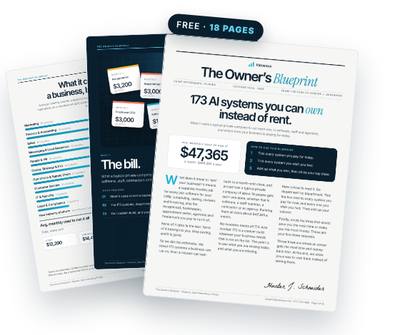
Get the free Owner’s Blueprint
173 systems most businesses rent, what each one replaces, and what it costs a typical 10-person company every month. Tick what you pay for, circle three, and see what owning them would look like.
Download the free Blueprint →Jobber job costing: worth it?
Field service platforms like Jobber, Housecall Pro and ServiceTitan increasingly include job costing, because they already know the job, the tech, the time on site and the invoice.
Where they shine: labor and line items are captured where the work happens. For a service business that lives in the app, that's a big head start.
Where they fall short: costs that happen outside the app, like a supply-house run on the company card or a sub's invoice, still need to be matched. Overhead allocation is often simplified. And the feature may sit in a higher subscription tier than you're on, so check what's included before you upgrade for it.
Fathom and ProfitWell: reporting layers
Fathom is a reporting and analysis tool that sits on top of your accounting software, popular with accountants and advisors who build monthly management reports, KPIs and forecasts. ProfitWell is built for subscription businesses, focused on recurring revenue metrics like churn and lifetime value.
Where they shine: clear, presentable reporting, trends over time, and a view of the whole company.
Where they fall short for job and product profit: they report what's already in your books. If costs aren't tagged to jobs or products, they can't invent that detail. Our estimate for this kind of software is about $75 a month for a typical 10-person company.
Shopify app that shows profit per product
For ecommerce, the Shopify App Store has a category of profit-tracking apps that pull in product costs, shipping, payment fees and ad spend to show profit per order and per product.
Where they shine: they connect the data ecommerce owners actually need, especially ad spend, which accounting software never sees per product.
Where they fall short: they depend on accurate product costs and shipping data you maintain, and they add another monthly subscription to a stack that's already growing. Average SaaS spend reached $4,830 per employee, up 21.9% in a year (Zylo, 2025).
The pattern: every tool is waiting on clean data
Line them up and the shared weakness is obvious. None of these tools capture the messy costs on their own. The receipt in the truck, the extra hour nobody logged, the sub invoice that arrived three weeks later.
That's not unique to small contractors. 68% of field service leaders cite data quality or siloed data as their top challenge in implementing AI (Field Service Insights / Geotab, 2025). And juggling separate tools is a pain in itself: 38% of owners named using multiple applications for different services as a top financial admin frustration (Tide, 2016).
So the question to ask isn't “which dashboard is best?” It's “how do costs get from the truck, the card statement and the inbox onto the right job, without someone retyping them?” Solve that, and almost any reporting tool will tell you the truth. Skip it, and every tool will show you a polished version of a guess.
What owning the system looks like instead
Owning it means you keep the tools you already pay for, your books, your field app or store, your time tracking, and add a system built inside those accounts that does the part none of them do: catching each cost and attaching it to the right job or product.
It reads receipts and sub invoices, matches them to jobs, pulls labor hours and applies your true labor rate and overhead, then sends you a ranked list every week with the outliers explained. Built with your own AI, in your own accounts, it stays yours even if you change software later.
You still pay for your own software and usage, and you keep whatever reporting you like. The difference is that the hard part, the daily capture, finally happens without you.
How to choose this week
Ask one question of any tool, including the one you already have: “Where does the receipt from Tuesday's supply-house run end up, and who puts it there?” If the answer is “someone, eventually,” the tool will report guesses no matter how nice the dashboards look.
Fix the capture first. Then pick the reporting you like best, or let the system that does the capture produce the report too.
Questions owners ask
What's the best job costing software for a small contractor?
The one that matches where your costs already live. If you run everything through your field app, start there. If your books are the hub, use QuickBooks Projects. Either way, the capture habit matters more than the brand.
Is Fathom a job costing tool?
Not exactly. It's a reporting and analysis layer on top of your accounting data. It can report profit by class or project if your books already track it.
Do I need separate software for profit per product on Shopify?
Not necessarily, but accounting software won't see ad spend per product. You need something that joins product costs, shipping, fees and ads, whether that's an app or a system you own.
Can I start with just a spreadsheet?
Yes. A spreadsheet with same-day capture beats expensive software with missing data. Move up once the habit is solid.
Own the system instead of renting it
Valuexus builds it inside your own accounts, usually within 24 hours, and it stays yours even if you cancel. $450 a month, locked for life; your first month is $225 with code WELCOME50. 7-day, 75% money-back guarantee.
See how Valuexus works →Keep reading
Sources
- Roughly 60% of SMBs made a software purchase they regretted in the past 18 months — Capterra 2025 Tech Trends Survey
- 54% of construction businesses track project costs without software — QuickBooks and TSheets survey, via For Construction Pros
- Average SaaS spend reached $4,830 per employee, up 21.9% year over year — Zylo 2025 SaaS Management Index
- 68% of field service leaders cite data quality or siloed data as their top AI implementation challenge — Field Service Insights / Geotab 2025 State of Field Service Report
- 38% of owners named juggling multiple applications for different services as a top financial admin frustration — Tide survey, via Startups.co.uk, 2016
Written by Hunter J. Schneider, founder of Valuexus. Get your free 173-point AI audit.