You can have automatic meeting notes with action items running by Friday. Here's the exact setup, the template, the legal check, and where an AI system takes over for good.
"How to take meeting notes automatically" in one paragraph
Record the call, turn the recording into a transcript, have AI pull out decisions and action items in a fixed format, and send that to the people who need it, inside the tools they already use. That's the whole system. The rest of this post is how to set it up so it actually happens every time.
You can do steps 1 through 5 this week with tools you probably already pay for. Step 6 is where it stops depending on anyone remembering.
Step 1: Decide which meetings get captured
Don't try to record everything. Pick the meetings where promises get made:
- Weekly team meeting
- Client and customer calls
- Sales calls
- On-site walkthroughs, if you do them
That list is your scope. It matters because a lot of meetings are informal. Microsoft found 57% of meetings are ad hoc calls with no calendar invite (Microsoft Work Trend Index, 2025). If your system only works from calendar invites, it will miss more than half of them. Decide now how ad hoc calls get captured, even if it's just tapping record on your phone.
Step 2: Check the law on recording calls with customers
People search "how do I record phone calls with customers legally" for good reason. In the US, federal law and most states allow recording when one party to the call consents. But a number of states, including California, Florida, Pennsylvania and Washington, generally require everyone on the call to agree. If the other person is in one of those states, their rules can apply.
The simple habit that covers you almost everywhere: announce it and get a yes. "I record our calls so I don't miss anything you ask for. Is that okay?" Most customers appreciate it. For anything sensitive, such as medical or legal matters, ask your attorney first. This isn't legal advice.
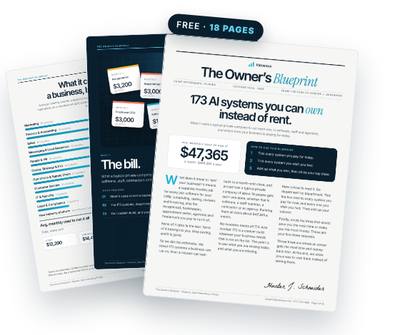
Get the free Owner’s Blueprint
173 systems most businesses rent, what each one replaces, and what it costs a typical 10-person company every month. Tick what you pay for, circle three, and see what owning them would look like.
Download the free Blueprint →Step 3: Turn on recording and transcripts
Most video platforms have this built in on paid plans. Zoom, Google Meet and Microsoft Teams can all record and transcribe, and save files to your own cloud storage. That's the "record zoom and get notes free" route people look for on YouTube, and for many small teams it's enough to start.
For in-person meetings and job-site walkthroughs, a phone voice recorder works. So do note-taker apps; free tiers have limits, such as Otter's 300 transcription minutes a month (Costbench, 2026).
One rule: save every transcript to one folder you own, named by date and client. That folder becomes your company's memory.
Step 4: Use a meeting notes template the AI must follow
Yes, ChatGPT and similar tools can summarize a meeting transcript well. The trick is to give them a strict template, so every recap looks the same. Paste the transcript and ask for exactly this:
- Decisions: one line each.
- Action items: task, owner, due date. If no owner or date was said, flag it as missing.
- Promises to the client: anything we said we'd do, in their words.
- Open questions.
- Next check-in date.
The "flag it as missing" line is the most valuable one. It shows you every task that was agreed without a name on it, which is exactly the kind that never gets done.
Step 5: Get action items from the meeting to the team
A recap in an inbox is better than nothing. A recap that creates tasks is better still. Copy each action item into wherever your team already works: your project board, your CRM, or a shared task list. Then send the recap to everyone who attended within an hour.
For client calls, send the recap to the client too, with one line: "Reply if I got anything wrong." That single sentence ends most he-said, she-said disputes before they start.
Finally, put a 15-minute block on Friday to scan open items from the week. It's the cheapest follow-up system there is.
Step 6: Where an AI system takes it over for good
Steps 3 through 5 work, but they depend on someone pasting, copying and remembering. That's where these systems usually break: the busy week when nobody does it.
An owned system does those steps on its own. The recording lands in your folder, an AI in your own account writes the recap in your template, tasks are created with owners and dates, attendees get the recap, and on Friday you get a list of everything still open. Nobody has to press anything.
Adobe found entrepreneurs report saving an average of six hours a week using AI tools (Adobe, via Small Business Trends, 2025). Meeting follow-up is one of the cleanest places to get some of that time back, because the work is repetitive and the format never changes.
What it needs from you is small but real: a list of which meetings count, your recap template, where tasks should go, and who gets the Friday list. Those choices are what make the system yours. Once they're set, the system follows them on every call, including the ones at 7 p.m. that nobody would have written up by hand.
Four mistakes that make automatic notes useless
Plenty of owners turn on a note-taker, get a pile of transcripts, and quit a month later. It's rarely the AI's fault. It's usually one of these:
- Keeping the transcript, skipping the recap. Nobody reads a 9,000-word transcript. The value is the one-page summary with names and dates.
- Letting the recap live in the app. If action items stay inside the note-taker, they never meet your team's real task list. Move them out every time.
- No owner on the system itself. Someone has to own the template, the folder and the Friday review. If that's "everyone," it's no one.
- Recording without telling people. Beyond the legal risk, it erodes trust with staff and customers. Say it out loud, every time.
Fix those four and even a free setup will outperform an expensive tool that nobody configured.
A one-week rollout plan
- Monday: list the meetings in scope and write your consent line.
- Tuesday: turn on recording and transcripts, point them to one folder.
- Wednesday: save your recap template and test it on one transcript.
- Thursday: send your first recap to a team meeting and a client.
- Friday: do the 15-minute open-items review.
Run that for two weeks by hand. Once you know the format works for your business, automate it.
Questions owners ask
Can ChatGPT summarize a meeting transcript?
Yes. Paste the transcript and give it a strict template: decisions, action items with owner and date, client promises, open questions. Ask it to flag any task without an owner.
How do I record phone calls with customers legally?
Announce the recording and get the other person's agreement. Many US states allow one-party consent, but some, such as California and Florida, generally require everyone's consent. Check with an attorney for sensitive calls.
Can I record Zoom and get notes for free?
Many video platforms include recording and transcripts on paid plans, and some note-taker apps have free tiers with monthly limits. Free tools get you transcripts; you still need a step that turns them into tasks.
What's the best meeting notes template?
Decisions, action items with owner and due date, promises to the client, open questions, next check-in. Keep the same template for every meeting so people know where to look.
Own the system instead of renting it
Valuexus builds it inside your own accounts, usually within 24 hours, and it stays yours even if you cancel. $450 a month, locked for life; your first month is $225 with code WELCOME50. 7-day, 75% money-back guarantee.
See how Valuexus works →Keep reading
- Customer Info in Your Phone, Email and Sticky Notes? Here's the Cost
- Drowning in Email? Why Your Inbox Is Running Your Business
Sources
- 57% of meetings are ad hoc calls with no calendar invite — Microsoft Work Trend Index 2025
- Otter free plan: 300 transcription minutes a month; Fireflies free plan: 800 minutes of storage per seat — Costbench list-price comparison, 2026
- Entrepreneurs save an average of six hours a week, or 310 hours a year, using AI tools — Adobe 2025 Work-Life Balance Report, via Small Business Trends
- Unnecessary meetings cost individuals 157 hours per year — Asana Anatomy of Work Index 2021
- Employees are interrupted every two minutes, 275 times a day, by meetings, email or chat — Microsoft Work Trend Index 2025
Written by Hunter J. Schneider, founder of Valuexus. Get your free 173-point AI audit.