Today's AI chatbots can answer most website questions well, if they're given the right material and the right limits. Here's what that looks like.
Can AI actually answer my website visitors?
Yes, for most of the questions small businesses get. Hours, area, pricing ranges, policies, what to expect, how to book. Modern AI chatbots answer these accurately when they've been trained on the right content.
Where it's less reliable: anything you haven't told it, anything requiring professional judgment, and anything where a wrong answer has real consequences.
This is an honest look at what works, what doesn't, and what a realistic setup involves.
What AI chatbots do well today
- Answering from your content. Trained on your website, FAQ and fact sheet, an AI chatbot handles the repetitive questions that eat your phone time.
- Understanding messy questions. Typos, slang and two questions in one message are fine; older rule-based bots fell over on these.
- Booking. Connected to a scheduling tool, it can offer real time slots and book them.
- Collecting the details. Name, contact info, address, photos of the problem, all written up for you before the callback.
- Working all night. In an analysis of 1.69 million leads, 75% arrived outside weekday 9-to-5 (LeadSync, 2026).
That last point is most of the value. An AI that answers at 9pm with the right information is doing something no human-only business can.
Where AI chatbots still fail
Making things up. If the bot doesn't have the answer, a poorly set up one will guess, confidently. The fix is strict instructions to answer only from your content and to say so when it doesn't know.
Stale information. A bot trained on your site last spring is quoting last spring's prices. Content has to be kept current.
Judgment calls. Whether a case is worth taking, whether a tooth needs to be seen today, whether a refund is fair. Those belong to people.
Tone in tense moments. An upset customer needs a human quickly. Bots should recognize complaints and route them, not try to resolve them.
None of these are reasons to skip AI chat. They're the specification for building it properly: a source of truth, firm limits, a fast route to a person and someone who reads the transcripts.
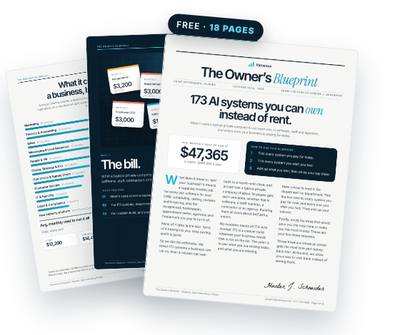
Get the free Owner’s Blueprint
173 systems most businesses rent, what each one replaces, and what it costs a typical 10-person company every month. Tick what you pay for, circle three, and see what owning them would look like.
Download the free Blueprint →Anyone using an AI chatbot on their site? Is it annoying customers?
It can be. Owners report the same complaints: bots that won't hand off, bots that answer a different question, bots that pop up three times.
People do still value a human. Invoca found 68% of consumers find the human connection of calling a business appealing (Invoca, 2021). The chatbot's job isn't to replace that; it's to answer the simple stuff instantly and get the visitor to a person for the rest.
Practical rules: one gentle prompt, not a pop-up barrage; a visible way to reach a person; and honesty that it's an AI assistant backed by your team.
AI chat for a law firm or dental website
Professional practices are some of the heaviest searchers for AI chat, and they need the tightest limits.
For a law firm: the bot can explain practice areas, office locations and how consultations work, and collect intake details. It must not give legal advice, and it should say so. Check your state bar's rules on advertising and client communications.
For a dental office: the bot can answer insurance, hours, new-patient and pricing-range questions and book appointments. It shouldn't triage symptoms beyond telling people to call or seek emergency care. Be careful about collecting health details in a tool not suited for them. And keep the phone prominent: 42% of consumers preferred voice for healthcare communication in 2025 (Hiya, 2025).
What an AI chatbot needs from you
- A fact sheet: services, price ranges, area, hours, policies, guarantees, anything you never do.
- Your top 20 to 40 customer questions with answers in your voice.
- Rules: what it must never discuss, when to hand off, how to handle complaints.
- A booking link or calendar connection, if you want it to book.
- A destination for handoffs: a phone, an inbox or your CRM that someone checks daily.
- Fifteen minutes a week, early on, to read transcripts and fix weak answers.
A realistic walk-through: AI chatbot that books appointments
9:12pm, Wednesday. A visitor opens the chat: hi do you do water heater replacement and how much.
The bot confirms you do, gives the typical range from your fact sheet, explains what changes the price, and asks for their ZIP code. It confirms the area, offers two slots from your calendar for Friday, and books the one they pick, collecting their name, number and a photo of the old unit.
If they'd asked something outside its content, it would have said a team member will text you by 9am and taken their number.
Compare that with the alternative most businesses offer: a contact form that, in Harvard Business Review's audit, went unanswered at 23% of companies, with an average first response of 42 hours (Harvard Business Review, 2011).
7:30am, Thursday. You get the booking in your calendar, the details in your CRM and the transcript. Nobody stayed up. The customer got an answer faster than most competitors would manage, which matters when 72% of consumers choose the business that responds first (Moneypenny).
How to train an AI chatbot on your website without the junk
Most AI chatbot tools let you paste a URL and crawl the whole site. Be selective. Old blog posts, discontinued services and last year's promotions will all become answers.
Start with a curated set: your fact sheet, your services or product pages, your FAQ and your policies. Add other pages only when you've checked they're current.
Then write the instructions. Tell it who it's speaking for, what it may and may not discuss, to answer only from the provided content, to give price ranges rather than quotes, and exactly when to hand off.
Finally, test it with the 20 questions you get most, plus five you'd never want it to answer. Fix and retest until both lists behave.
Own the system, not just the widget
Most chatbot tools now include AI. That's useful, and it's rented: your knowledge base and settings sit in that vendor's platform.
The alternative is building it on your own AI account, in your accounts, with your fact sheet, rules and booking connections. The widget can change; the knowledge stays yours. You pay your own AI usage, and you keep the system if you stop paying anyone to run it.
Over time, that knowledge base becomes one of the most useful documents in the business: every question customers ask, answered the way you'd answer it. New staff can learn from it too.
Questions owners ask
Will an AI chatbot make up answers?
It can if it's not set up properly. Restrict it to your content, tell it to admit when it doesn't know, and test it before going live.
Can an AI chatbot book appointments?
Yes, when it's connected to your scheduling tool. It can offer available slots and book them, or send a booking link.
Is AI chat OK for law firms and dental offices?
Yes for general information, intake and booking, with clear limits: no legal or medical advice, and care with sensitive information. Check your professional rules.
Should I tell visitors it's AI?
Yes. Be upfront that it's an AI assistant and say who on your team follows up and when.
Get the free Owner’s Blueprint
173 systems most businesses rent, what each one replaces, and what it costs a typical 10-person company every month. Tick what you pay for, circle three, and see what owning them would look like.
Download the free Blueprint →Sources
- 75% of 1.69 million Facebook and Instagram leads arrived outside weekday 9-to-5; busiest hour 9pm; 31.5% evenings, 29.2% weekends — LeadSync (2026), summarized by Ainora
- 68% of consumers find the human connection of calling a business appealing and prefer it over chat and email — Invoca Buyer Experience Benchmark Report (2021)
- 42% of consumers preferred voice for communicating with healthcare providers in 2025, up from 33% in 2024 — Hiya State of the Call (2025)
- 72% of consumers choose the business that responds first — Moneypenny call trends
- Only 37% of 2,241 US companies answered a web lead within an hour; 23% never answered; average first response 42 hours — Harvard Business Review (2011), summarized by Ainora
Written by Hunter J. Schneider, founder of Valuexus. Get your free 173-point AI audit.