AI can do the math on your customer list and warn you before a client gets too big. Here's what actually works today, where it trips up, and what it needs from you.
Can AI analyze which customers I depend on most?
Short answer: yes, and it's one of the more reliable things AI can do for a small business today. Concentration analysis is mostly arithmetic on data you already have. The AI's job is to fetch it, clean it, run the math, and explain it.
Longer answer: it works well only if it's set up properly. Done carelessly, it can give you a confident wrong number. Here's how to tell the difference.
You're not alone in asking. 75% of SMBs are at least experimenting with AI (Salesforce, 2024), and 77% of small and mid-sized owners say they've integrated it into operations in the past five years (Bank of America, 2025).
What works today
- Doing the math on an export. Upload a sales by customer file to a modern AI assistant with data analysis turned on, and it can compute each customer's share, cumulative share, top 5 and top 10, and a Herfindahl score in seconds.
- Spotting trends. Give it 24 months of monthly sales by customer and it can show who's growing fastest and project when a customer would cross a threshold at the current pace.
- Explaining in plain English. "Your top customer is 31% of trailing revenue, up from 22% a year ago. At this rate they'd be 40% by spring."
- Running scenarios. "What happens to my monthly profit if customer A leaves and I replace half their revenue in six months?"
- Running on a schedule. Set up properly, the same steps can run every month without you opening a chat.
What doesn't work (yet) without help
- Messy customer names. AI will happily treat "Smith Builders" and "Smith Builders LLC" as two customers unless you give it rules or a mapping list. That alone can hide real concentration.
- Relationships it can't see. It doesn't know that three customers share one parent company, or that your main contact just left the client. You have to tell it.
- Math done "in its head." Language models can make arithmetic slips if they answer from text instead of running calculations. Insist it uses code or a spreadsheet for the numbers.
- Judgment calls. It can tell you a customer is 40% of revenue. It can't tell you whether that customer's contract, loyalty and payment history make that 40% safe. That's your call, or your advisor's.
Be skeptical of big claims in general: 89% of executives in four major economies reported no measurable AI impact on labor productivity over three years (Gallup, 2026). The wins come from narrow, well-defined jobs like this one.
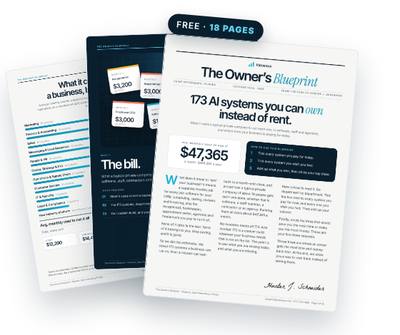
Get the free Owner’s Blueprint
173 systems most businesses rent, what each one replaces, and what it costs a typical 10-person company every month. Tick what you pay for, circle three, and see what owning them would look like.
Download the free Blueprint →Can ChatGPT tell me my customer concentration from a sales export?
Yes, for a one-time check. Here's a prompt that works well:
"Here is a sales by customer export for the last 12 months. Merge obvious duplicate names and list the merges you made. Then, using code, calculate each customer's share of total revenue, the cumulative share sorted largest to smallest, the top 1, 5 and 10 share, and the Herfindahl index. Flag any customer over 15% and over 25%."
Read the list of merges it made. That's where errors hide. And use an AI account your business controls, since you're sharing customer revenue data.
AI that warns me when one customer gets too big: what it needs from you
To turn a one-time chat into an always-on warning, the system needs five things from you, once:
- Access to your accounting data, through a connection or a scheduled export.
- Your thresholds. For example: alert at 20% for any single customer and 50% for the top 5.
- A customer grouping list. Which names are the same company, and which belong to the same parent.
- Revenue tags. Which work is recurring and which is one-time, if your books don't already show it.
- Where to send it. Email, Slack, or both, and who else should see it.
That's maybe an hour of your time up front. After that, your job is reading a short note once a month.
A realistic walk-through of the monthly workflow
Here's what a well-built version actually does on the first business day of each month:
- Pulls sales by customer for the last 24 months from your accounting system.
- Applies your grouping list and flags any new customer names it hasn't seen, so you can confirm them.
- Calculates trailing-12-month shares, the top 1/5/10 profile, and the Herfindahl score, in code.
- Compares to last month and to your thresholds.
- Runs the what-if: profit impact if the top customer left, using your fixed cost figure.
- Writes a short summary and sends it. If a threshold was crossed, that's the first line.
You can reply with questions: "exclude the one-time job from March," or "which mid-size customers grew most?" and get an answer from the same data.
Why it's worth automating
The reason this matters isn't the analysis. It's the timing. Concentration builds slowly, and the cost of finding it late is high: replacing a lost customer costs 5 to 25 times more than keeping one (Harvard Business Review, 2014).
Most owners don't have this view day to day. 70% of SMB owners said they lack daily insight into company performance (Geckoboard, 2016). An AI system that watches one specific risk for you closes a gap that otherwise stays open until it hurts.
It also saves the hunting. Knowledge workers spend about a fifth of their time searching for and gathering information (McKinsey Global Institute, 2023). A report that arrives on its own is time you don't spend digging.
Common setup mistakes to avoid
Most bad AI results here come from setup, not the model. Three to avoid:
- Feeding it invoices instead of customer totals without saying so. Tell it the file format and what each column means, or it may double count credits and refunds.
- No fixed definitions. Decide once whether you measure invoiced revenue, collected revenue or gross profit, and keep it the same each month so trends mean something.
- No human check on new names. When a new customer appears that looks like an existing one, have it ask you instead of guessing.
Get those right and the monthly output is something you can trust enough to act on, which is the whole point.
Rent it or own it
You can rent this view inside a reporting subscription, which our Blueprint puts at roughly $65 a month for a typical 10-person company. Or you can own it: built with your own AI, in your own accounts, kept forever.
Owning means you pay only your own AI usage, and you can change the thresholds, add a question, or point it at gross profit instead of revenue without asking a vendor. It's a small system, but it watches one of the biggest risks a small business carries.
Questions owners ask
Is it safe to give AI my customer revenue data?
Use an AI account your business controls, with data-sharing settings you've reviewed, rather than a personal free account. An owned system runs in your accounts, so the data stays under your control.
Will AI make mistakes in the numbers?
It can if it calculates from text. Make sure it runs the math in code or a spreadsheet, and review the list of customer names it merged.
Can AI tell me how risky a specific customer is?
It can measure their share and trend. Judging contract strength, loyalty and relationship risk needs your input or an advisor's.
Own the system instead of renting it
Valuexus builds it inside your own accounts, usually within 24 hours, and it stays yours even if you cancel. $450 a month, locked for life; your first month is $225 with code WELCOME50. 7-day, 75% money-back guarantee.
See how Valuexus works →Keep reading
- Flying Blind in Your Business? Why Your Numbers Show Up Months Late
- Drowning in Email? Why Your Inbox Is Running Your Business
- Customer Info in Your Phone, Email and Sticky Notes? Here's the Cost
- One Client Is 50% of Your Revenue? Here's What That Really Means
Sources
- 75% of SMBs are at least experimenting with AI, and 83% of growing SMBs use it — Salesforce SMB Trends Report, 2024
- 77% of small and mid-sized business owners have integrated AI into operations in the past five years — Bank of America Business Owner Report, 2025
- 89% of executives in the US, UK, Germany and Australia reported no measurable AI impact on labor productivity over three years — Gallup, via Benefits and Pensions Monitor, 2026
- Acquiring a new customer is 5 to 25 times more expensive than retaining an existing one — Harvard Business Review, 2014
- 70% of SMB owners said they lack daily insight into company performance; only 1 in 10 tracks growth targets in real time — Geckoboard SMB Growth and Metrics Survey, 2016
- Knowledge workers spend about a fifth of their time searching for and gathering information — McKinsey Global Institute, 2023
Written by Hunter J. Schneider, founder of Valuexus. Get your free 173-point AI audit.